|
Moteur de recherche de fiches techniques de composants électroniques |
|
|
Moteur de recherche de fiches techniques de composants électroniques |
|
ST10F269Z1Q3 Fiches technique(PDF) 84 Page - STMicroelectronics |
|
|
|||||||||||||||||||||||||||||
ST10F269Z1Q3 Fiches technique(HTML) 84 Page - STMicroelectronics |
|
|
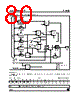
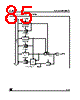
84 / 184 page  12 - PARALLEL PORTS ST10F269 84/184 The chip select lines of Port 6 have an internal weak pull-up device. This device is switched on during reset. This feature is implemented to drive the chip select lines high during reset in order to avoid multiple chip selection. After reset the CS function must be used, if selected so. In this case there is no possibility to program any port latches before. Thus the alternate function (CS) is selected automatically in this case. Note: The open drain output option can only be selected via software earliest during the initialization routine; at least signal CS0 will be in push/pull output driver mode directly after reset. Figure 37 : Block Diagram of Port 6 Pins with an Alternate Output Function MUX 0 1 "0" Open Drain Latch Write ODP6.y Read ODP6.y Direction Latch Write DP6.y Read DP6.y MUX 0 1 Input Latch Clock P6.y Output Buffer Port Output Latch Read P6.y Write DP6.y Alternate Data Output MUX 0 1 MUX 0 1 "1" MUX Alternate Function Enable y = (0...4, 6, 7) |
|
Lien URL |
| ALLDATASHEET vous a-t-il été utile ? [ DONATE ] |
À propos de Alldatasheet | Publicité | Contactez-nous | Politique de confidentialité | Lien vers la fiche technique | Echange de liens | Fabricants All Rights Reserved©Alldatasheet.com |
| Russian : Alldatasheetru.com | Korean : Alldatasheet.co.kr | Spanish : Alldatasheet.es | French : Alldatasheet.fr | Italian : Alldatasheetit.com Portuguese : Alldatasheetpt.com | Polish : Alldatasheet.pl | Vietnamese : Alldatasheet.vn Indian : Alldatasheet.in | Mexican : Alldatasheet.com.mx | British : Alldatasheet.co.uk | New Zealand : Alldatasheet.co.nz |
|
Family Site : ic2ic.com |
icmetro.com |
 French ▼
 English
 Chinese
 German
 Japanese
 Russian
 Korean
 Spanish
 French
 Italian
 Portuguese
 Polish
 Vietnamese
 Indian
 Mexican
 British
 New Zealand