|
Moteur de recherche de fiches techniques de composants électroniques |
|
|
Moteur de recherche de fiches techniques de composants électroniques |
|
E5CC-RX2ABM-000 Fiches technique(PDF) 33 Page - Omron Electronics LLC |
|
|
|||||||||||||||||||||||||||||
E5CC-RX2ABM-000 Fiches technique(HTML) 33 Page - Omron Electronics LLC |
|
|
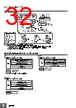
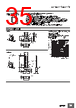
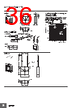
33 / 138 page  E5CC/E5CC-B/E5CC-U 33 Nomenclature Dimensions (Unit: mm) Controllers Press O Key once to go to Adjustment Level. Press O Key for at least 3 seconds to go to Initial Setting Level. Use the M Key to change to another parameter. Operation indicators No. 1 display No. 2 display Temperature unit Use S Key to change the digit (default setting). Use the U D Keys to set the parameter. Front panel PV or specified parameter SP or specified parameter value Top View of E5CC Top View of E5CC-U Top View of E5CC-B Top-panel Setup Tool port E5CC E5CC-B E5CC-U 45+0.6 0 45+0.6 0 45+0.6 0 60 min. (48 × number of units - 2.5)+1.0 0 Panel Cutout Mounted Separately Group Mounted 48 × 48 Mounting Adapter (Accessory, Y92F-49 (also available for ordering separately)) Terminal Cover (E53-COV17) (Order separately) Waterproof Packing (Accessory, Y92S-P8 (also available for ordering separately)) 44.8 × 44.8 4 1 73.1 60 58 48.8 44.8 × 44.8 E5CC • Recommended panel thickness is 1 to 5 mm. • Group mounting is not possible in the vertical direction. (Maintain the specified mounting space between Controllers.) • To mount the Controller so that it is waterproof, insert the water- proof packing onto the Controller. • When two or more Controllers are mounted, make sure that the surrounding temperature does not exceed the allowable operating temperature specified in the specifications. • Use a control panel thickness of 1 to 3 mm if the Y92A-48N and a USB-Serial Conversion Cable are used together. The Setup Tool port is on the top of the Temperature Controller. It is used to connect the Temperature Controller to the computer to use the Setup Tool. The E58-CIFQ2 USB-Serial Conversion Cable is required to make the connection. Refer to the instructions that are provided with the USB-Serial Conversion Cable for the connection procedure. Note: Do not leave the USB-Serial Conversion Cable connected when you use the Temperature Controller. (71.4) 67.4 4 (1) 58 Mounting Adapter (Accessory, Y92F-49 (also available for ordering separately)) Waterproof Packing (Accessory, Y92S-P8 (also available for ordering separately)) 48 × 48 44.8 × 44.8 44.8 × 44.8 E5CC-B |
|
Lien URL |
| ALLDATASHEET vous a-t-il été utile ? [ DONATE ] |
À propos de Alldatasheet | Publicité | Contactez-nous | Politique de confidentialité | Lien vers la fiche technique | Echange de liens | Fabricants All Rights Reserved©Alldatasheet.com |
| Russian : Alldatasheetru.com | Korean : Alldatasheet.co.kr | Spanish : Alldatasheet.es | French : Alldatasheet.fr | Italian : Alldatasheetit.com Portuguese : Alldatasheetpt.com | Polish : Alldatasheet.pl | Vietnamese : Alldatasheet.vn Indian : Alldatasheet.in | Mexican : Alldatasheet.com.mx | British : Alldatasheet.co.uk | New Zealand : Alldatasheet.co.nz |
|
Family Site : ic2ic.com |
icmetro.com |
 French ▼
 English
 Chinese
 German
 Japanese
 Russian
 Korean
 Spanish
 French
 Italian
 Portuguese
 Polish
 Vietnamese
 Indian
 Mexican
 British
 New Zealand