|
Moteur de recherche de fiches techniques de composants électroniques |
|
|
Moteur de recherche de fiches techniques de composants électroniques |
|
FT232BQ Fiches technique(PDF) 15 Page - Future Technology Devices International Ltd. |
|
|
|||||||||||||||||||||||||||||
FT232BQ Fiches technique(HTML) 15 Page - Future Technology Devices International Ltd. |
|
|
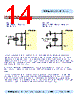
15 / 26 page  DS232BQ Version 1.8 © Future Technology Devices Intl. Ltd. 2005 Page 15 of 25 FT232BQ USB UART ( USB - Serial) I.C. 7.2 EEPROM Configuration Figure 6 EEPROM Configuration EECS EEDATA 32 FT232BM EESK 1 2 2 CS SK DIN DOUT GND NC NC VCC EEPROM - 93C46 / 56 / 66 1 3 4 5 6 7 8 VCC 10k 2k2 VCC Figure 6 illustrates how to connect the FT232BQ to the 93C46 (93C56 or 93C66) EEPROM. EECS (pin 32) is directly connected to the chip select (CS) pin of the EEPROM. EESK (pin 1) is directly connected to the clock (SK) pin of the EEPROM. EEDATA (pin 2) is directly connected to the Data In (Din) pin of the EEPROM. There is a potential condition whereby both the Data Output (Dout) of the EEPROM can drive out at the same time as the EEDATA pin of the FT232BQ. To prevent potential data clash in this situation, the Dout of the EEPROM is connected to EEDATA of the FT232BQ via a 2.2K resistor. Following a power-on reset or a USB reset, the FT232BQ will scan the EEPROM to find out (a) if an EEPROM is attached to the Device and (b) if the data in the device is valid. If both of these are the case, then the FT232BQ will use the data in the EEPROM, otherwise it will use its built-in default values. When a valid command is issued to the EEPROM from the FT232BQ, the EEPROM will acknowledge the command by pulling its Dout pin low. In order to check for this condition, it is necessary to pull Dout high using a 10K resistor. If the command acknowledge doesn’t happen then EEDATA will be pulled high by the 10K resistor during this part of the cycle and the device will detect an invalid command or no EEPROM present. There are two varieties of these EEPROM’s on the market – one is configured as being 16 bits wide, the other is configured as being 8 bits wide. These are available from many sources such as Microchip, STMicro, ISSI etc. The FT232BQ requires EEPROM’s with a 16-bit wide configuration such as the Microchip 93LC46B device. The EEPROM must be capable of reading data at a 1Mb clock rate at a supply voltage of 4.35V to 5.25V. Most available parts are capable of this. Check the manufacturers data sheet to find out how to connect pins 6 and 7 of the EEPROM. Some devices specify these as no-connect, others use them for selecting 8 / 16 bit mode or for test functions. Some other parts have their pinout rotated by 90o so please select the required part and its options carefully. It is possible to “share” the EEPROM between the FT232BQ and another external device such as an MCU. However, this can only be done when the FT232BQ is in its reset condition as it tri-states its EEPROM interface at that time. A typical configuration would use four bit’s of an MCU IO Port. One bit would be used to hold the FT232BQ reset (using RESET#) on power-up, the other three would connect to the EECS, EESK and EEDATA pins of the FT232BQ in order to read / write data to the EEPROM at this time. Once the MCU has read / written the EEPROM, it would take RESET# high to allow the FT232BQ to configure itself and enumerate over USB. FT232BQ |
|
Lien URL |
| ALLDATASHEET vous a-t-il été utile ? [ DONATE ] |
À propos de Alldatasheet | Publicité | Contactez-nous | Politique de confidentialité | Lien vers la fiche technique | Echange de liens | Fabricants All Rights Reserved©Alldatasheet.com |
| Russian : Alldatasheetru.com | Korean : Alldatasheet.co.kr | Spanish : Alldatasheet.es | French : Alldatasheet.fr | Italian : Alldatasheetit.com Portuguese : Alldatasheetpt.com | Polish : Alldatasheet.pl | Vietnamese : Alldatasheet.vn Indian : Alldatasheet.in | Mexican : Alldatasheet.com.mx | British : Alldatasheet.co.uk | New Zealand : Alldatasheet.co.nz |
|
Family Site : ic2ic.com |
icmetro.com |
 French ▼
 English
 Chinese
 German
 Japanese
 Russian
 Korean
 Spanish
 French
 Italian
 Portuguese
 Polish
 Vietnamese
 Indian
 Mexican
 British
 New Zealand